

Tired of using that pesky mouse? Well, I am.
As a former 911 operator, I used keyboard shortcuts all the time while I was on the phones responding to everything from burglaries to butt dials. While I was only there 3 months, it changed my computer habits drastically.
Dragging my mouse and clicking? No thank you!
So, why did I have no idea there were keyboard shortcuts for my Gmail account?

For the record, I’ve had an email account with Google since I was 15… which means I could’ve saved literally hours of my life using them! I don’t even want to math it out but 10 years of mouse clicking probably adds up.
But alas, no sense dwelling on the past.
There are a ton of shortcuts, but the ones I’ve been using the most are these 5:
- C = Compose
- R = Reply
- F = Forward
- E = Archive
- Ctrl+Enter = Send
To set it up, simply go into your settings and enable keyboard shortcuts.
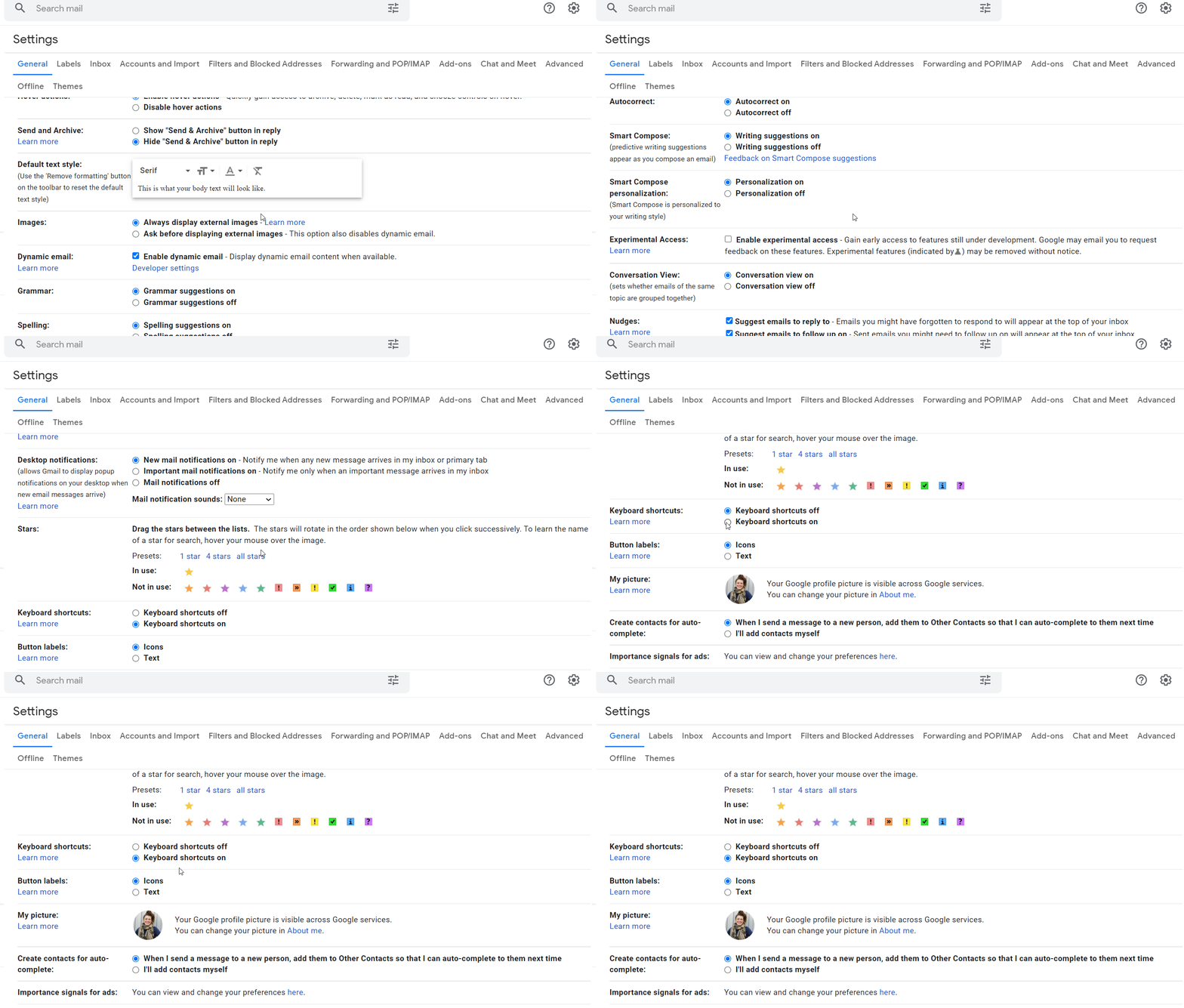
That’s it! This article by HubSpot has plenty more but I found these the handiest and I use them the most frequently. Now, go forward friends your newfound knowledge of all the amazing keyboard shortcuts.
You’re welcome.
About the Author
Victoria Fraser is a freelance writer from Vancouver, Canada who works with clients doing all things copywriting & content marketing. You can learn more at her website to work with her or say hello on Twitter!
 Victoria Fraser
Leave a comment