

Back in high school, I learned the basics of graphic design for our school yearbook. Thanks to my teacher, I got to design everything from logos to letterheads. And I also learned that at the basic level, anyone can do it.
Well, almost anyone.
If you’re using the right tools, it’s not difficult to make a simple vector graphic. However, today there are a lot more options out there that make logo design ridiculously easy…
But it comes at a cost. Today, I wanted to tackle Canva logos — because a friend of mine spent almost $500 on one, and it was a horrible idea…
My god, was it a bad idea.
How It All Started…
A few weeks ago, my friend was considering hiring someone for his social media. The person offered a content calendar, keyword research, captions, 2 hours of engagement, and 1 month of posts (x4) — and it was all for $200.
Instantly, I knew something was a bit off here.
The rate was okay for just a couple of social media posts, but everything else?
Beyond that, they also had a brand kit that you could buy separately for $500. The brand kit included a logo, fonts, brand boards, etc. Which, again, is a steal if that is really what she’s offering.
But once I looked at the website…
It all clicked.
She wasn’t actually selling a brand kit. At least not a usable one.
This was someone who used Canva to create “logos” for other businesses (I’ll explain why that is in quotes later). Basically, she’s a self-taught graphic designer and social media marketer.
And while some self-taught marketers out there are highly skilled — many of them aren’t what they seem. To a regular person, she looks like she knows what she’s doing…
But to me, it’s more overpriced snake oil.

Why You Can’t Create Logos in Canva
Many other more experienced graphic designers have already written about this topic, so I’ll keep it short. But in my opinion, it boils down to 3 major problems:
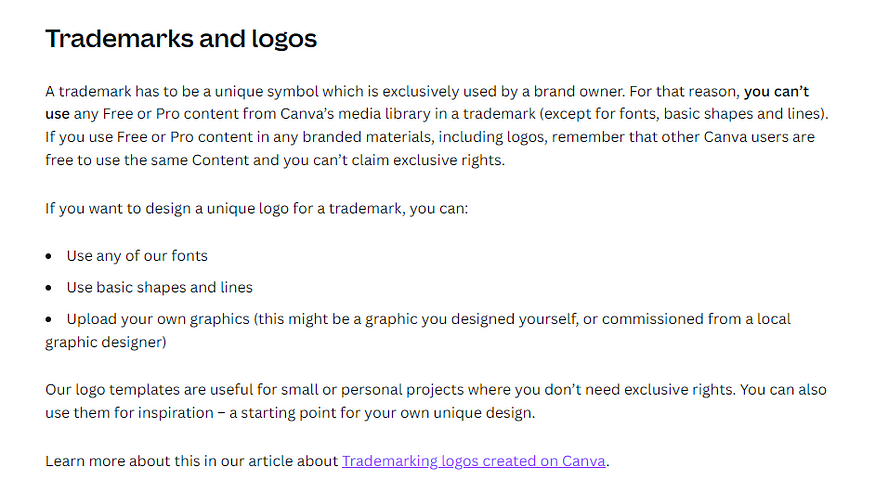
#1 — You can’t trademark it.
First of all, you don’t technically own a logo design made in Canva. If you read the fine print, the only way to use a Canva logo is if you either upload a logo that you made in another program or if you stick to their basic shapes, lines, and fonts.
You can’t use the images, graphics, or designs in Canva because they often come from third parties with special licensing agreements. So, why even use Canva at all?
#2 — It’s a low file quality & size.
Another problem is that your file isn’t going to be high-quality enough. When using a free account, you can’t download files in large sizes, which means your designs can be printed on large materials.
Tied to that is the type of files you can access with the free plan. Unless you upgrade to a premium account, you can’t download SVG (Scalable Vector Graphics) files. Those are important if you want to create a logo that can be adjusted to any size without becoming grainy or blurry.
#3— It’s not original.
Finally, let’s remember Canva gives you — and everyone else who uses it — the same basic templates. That means, unless you’re actually changing it up, you’re making a logo that will look identical to about a million other small businesses out there.
Do an image search on any of the logo templates, and know what you’ll find? Tons of small businesses using that identical template with almost no changes.
So what’s the takeaway here?
Always Vet Your Freelancers
All this has made me realize there are a lot of people who “work” in marketing, but they’ve clearly never worked at a marketing agency or doing marketing for any business.
And if they don’t have formal experience, then they’re more likely to make this kind of mistake.
At the end of the day, when hiring a freelance writer, graphic designer, or marketer — you need someone with real-world experience. Yes, they will cost more money, but they’ll be well worth it. Trust me.
About the Author
Victoria Fraser is a freelance copywriter from Vancouver, Canada who works in the gaming & tech space. She works with clients doing all things copywriting & content marketing (including making memes).
You can learn more at her website to work with her or say hello on Twitter!
 Victoria Fraser
Leave a comment